How to voice type in Minecraft chat (and fire off commands with your voice)
It is midnight, a creeper is on your heels, and your team needs an answer now. Here is how to talk your Minecraft chat messages and commands into the box instead of thumbing them out one key at a time.
It is the third night of your survival series. You are recording, half the base is on fire from a creeper you never saw, and two teammates are hammering the chat asking where the water bucket is. You press T, your character freezes on the spot, and you start pecking out o-n-space-m-y-space-w-a-y while the world burns behind you. By the time you hit enter, the creeper has friends. Anyone who plays Minecraft with other people knows this exact little panic: the moment the chat box matters most is the moment typing feels slowest.
Here is the strange part. You probably talk your way through the whole session already, voice chatting with friends on Discord without a second thought. Yet the instant you need something written down in game, a coordinate, a command, a quick 'regroup at the portal', you go back to hunting for keys with your character standing perfectly still. Minecraft never shipped a little microphone for the chat. This guide is about adding one: how to speak your messages and commands straight into the Minecraft chat box, what the free options really do, and where each of them pinches.
Why the chat box is where your seconds go to die
Two things make typing in Minecraft feel slow in a way that typing an email never does. First, opening the chat freezes you. The moment you press T or /, your character stops moving and stops swinging, so every second you spend composing is a second you are a sitting duck. Second, the stuff you type in game is fiddly: exact command syntax, coordinates, player names with strange capitalization, that one friend whose username is xX_Ender_Xx. A typo costs you a re-type, and a re-type can cost you the fight.
So the honest goal is not to type faster. It is to spend as little time in the chat box as possible. Talking is roughly three times faster than typing for most people, and you never look down at the keyboard to do it. That is the whole trick. You are not unlocking some combat exploit, your character still stops while the chat is open, you are just cutting the seconds you spend heads-down so you can get back to actually playing.
What actually types into the Minecraft chat
Start with the blunt truth: Minecraft has no built-in voice-to-text. There is no hidden setting, no little mic in the corner of the chat. The chat box is just a plain text field that accepts whatever your keyboard sends it, including pasted text. That is exactly why Java Edition caps a single message at 256 characters, to stop people pasting giant walls of text, as the Minecraft Wiki chat page notes.
Because the box just takes keystrokes, the voice part has to come from somewhere else. You have three honest routes: a Minecraft mod that adds speech recognition inside the game, the dictation built into Windows or macOS, or a system-wide dictation tool that types into any focused field. All three put words in that box. They differ wildly in how clean the words are and in where else they work.
The fastest setup: talk, and watch it land in the chat
The route most people end up happiest with is a system-wide dictation tool, because it treats the Minecraft chat like any other text field and it also works everywhere else you type during a session. Once it is set up, the flow is almost embarrassingly simple.
Pick a hotkey Minecraft is not already using
Bind your dictation tool to a key you never press in game, or better yet a spare mouse button. Steer clear of
T,E, theWASDcluster and the number row, since those are busy. If your tool has a toggle mode, use it, more on that below.In game, open the chat as normal
Press
Tfor a message or/to start a command. Your cursor is now blinking in the box, exactly where you want the words to appear.Hold or toggle your hotkey and just say the line
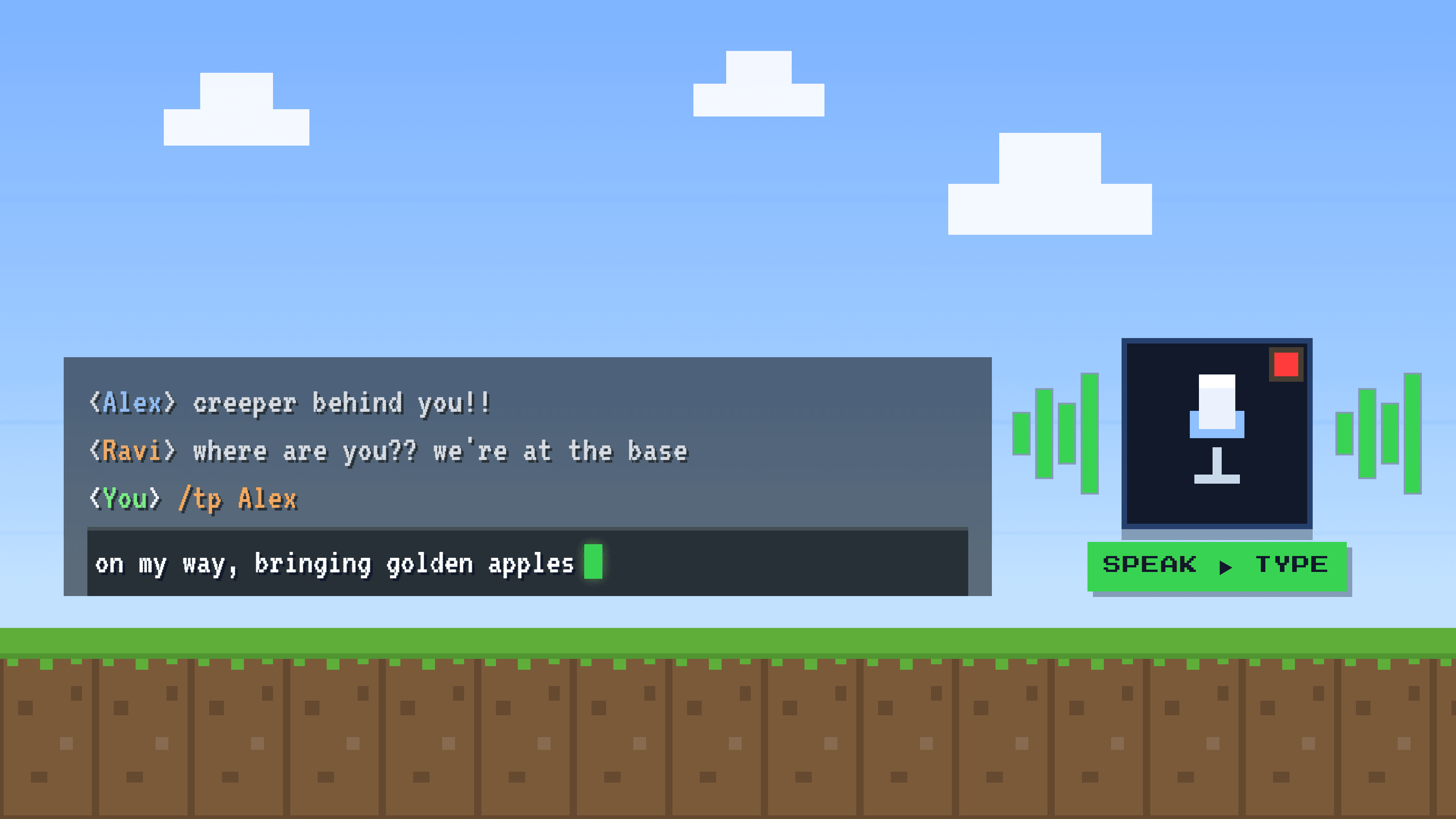
Say 'on my way, bringing golden apples', or for a command say 'slash t p Alex'. Speak it the way it should read. The text shows up in the chat box in well under a second, already cleaned up.
Press enter to send, and you are back in the fight
Glance at it, hit enter, close the chat, keep playing. The whole thing took one breath instead of ten seconds of pecking at keys.
Toggle mode frees your hands
Push-to-talk means holding a key down the entire time you speak, which is awkward when you also want a hand on the mouse. A toggle, press once to start and once to stop, lets you tap, talk, and keep your fingers on WASD. For fast in-game chatting, toggle usually wins.
The free routes, and exactly where they pinch
You do not have to pay for any of this to start, and two free options are worth knowing well before you decide you want something smoother.
The in-game mod. On Java Edition there is a community mod, Microphone Text Input, paired with a Vosk-based recognition library, that adds speech-to-text right inside Minecraft. Press its key, usually V, speak, and it sends your message. It is free, it runs offline on your own machine, and it is genuinely clever. The honest limits: it is Java only, you have to install and maintain mods with Fabric or Forge, the offline engine is more basic than the cloud models so punctuation and unusual names get rough, and it only works inside Minecraft. The second you alt-tab to Discord or a browser, it does nothing.
Windows and Mac dictation. Win + H on Windows and Apple Dictation on Mac are free, already installed, and they type into the chat box like any other field, so they solve the 'only works in one app' problem. They are a fine place to start. Where they wear thin: you have to say the punctuation out loud, they handle one language at a time so a bilingual server trips them up, they mangle player and mob names with no way to teach them, and standard Win + H sends audio to the cloud so it needs internet. For a fast game chat, those little frictions add up quickly.
Where a system-wide tool pulls ahead
If you dictate a lot during a session, the thing that keeps mattering is that a system-wide tool does not care which window is focused. The same key that drops 'on my way' into the Minecraft chat also types your Discord messages, your notes, and the title of the video you are about to render. It becomes one habit for the whole PC instead of a separate trick per app.
Golem is one tool built exactly this way, and a fair example of the category. It captures at the operating-system level on Windows and Mac, runs OpenAI's Whisper (large-v3-turbo) with an LLM cleanup pass, so the text arrives already punctuated and tidy instead of a breathless run-on. It is free to start with no credit card. One handy piece is custom vocabulary: you can teach it the names that always come out wrong, your friends' usernames, mob and item names, so xX_Ender_Xx and netherite stop turning into gibberish. It is multilingual too, so you can speak Spanish and have it type English for an international SMP. You press a key, talk, and the text lands in under a second, in toggle or push-to-talk. The honest trade-offs: it is Windows and Mac only, so no consoles and no phones, it needs a quick login, it works best with an internet connection because transcription runs server-side, and it still needs you to open the chat first. It types your words, it does not play the game for you. But the feature that really pays off for gaming deserves its own section.
The real superpower: voice shortcuts for your commands
Here is the feature that turns this from 'a little faster' into 'why did I ever type these'. Golem lets you build voice shortcuts, also called snippets: you pair a short spoken cue with a full block of pre-made text, then just say the cue and the whole thing appears. Set up home once so it expands into your teleport command, and from then on you open the chat, say 'home', and the full /tp line is typed and ready. Neither the in-game mod nor Win + H can do this. It is where the seconds really collapse, because a long command with coordinates becomes two spoken words.
You make as many as you want, for commands you run constantly, coordinates you can never remember, or canned messages your team always needs. Pair them with custom vocabulary and even the fussiest command spelling stays intact. A few examples of what a single cue can expand into:
| You say | Golem types into the chat |
|---|---|
| home | /tp @s 128 71 -540 |
| creative | /gamemode creative |
| make it day | /time set day |
| give netherite | /give @s netherite_ingot 16 |
| need backup | need backup at my base, sending coords now |
| In-game mod (Vosk) | Win + H / Apple | System-wide tool (e.g. Golem) | |
|---|---|---|---|
| Works outside Minecraft too | No, in-game only | Yes | Yes |
| Punctuation | Basic | You say it out loud | Added automatically |
| Player and mob names | Often rough | Mangled, cannot teach | Custom vocabulary you train |
| Languages | Per install | One at a time | Speak one, type another |
| Voice shortcuts for commands | No | No | Yes, you build your own |
| Setup | Install mods (Java) | Built in | Install an app, log in |
| Cost | Free | Free | Free to start |
The bigger picture
Dictating into a game chat is one case of a much larger idea: voice typing that follows your cursor into every app instead of living inside one. For the full map, read voice typing that works in any app. And since most Minecraft crews live in a voice app anyway, here is how to dictate in Discord and Teams for the messages you still type there.
Frequently asked questions
Does Minecraft have built-in voice-to-text for the chat?
No. There is no dictation setting and the game ships no microphone for the chat box. To talk instead of type, you add it from outside: a speech-recognition mod on Java, your operating system's dictation (Win + H or Apple Dictation), or a system-wide dictation tool.
Can I run commands by voice, not just chat messages?
Yes. Open the command line with /, then dictate the rest, for example say 'slash home' or 'slash t p Alex'. Even faster, some tools let you set a voice shortcut so a short cue like 'home' expands into the whole command, so you never have to say the full syntax out loud. Because commands and names have to be exact, custom vocabulary helps here too.
Is voice typing in Minecraft cheating, or will it get me banned?
Dictation types text into the chat exactly like your keyboard would. It does not move, aim, or act in the world, so it is a keyboard replacement, not gameplay automation like an autoclicker or a macro. That said, server rules vary, so on a strict competitive server, check their policy. Categorically it is far closer to using Win + H than to using a hack.
Does it work in fullscreen?
It works best in windowed or borderless fullscreen, because exclusive fullscreen can hide a tool's on-screen indicator. The text still types into the chat either way, you just may not see the little recording overlay. Most people who dictate in games run borderless.
Does this work on Bedrock, or only Java?
The chat box on PC accepts typed and pasted text on both Java and Bedrock, so operating-system dictation and system-wide tools work on either, on Windows and Mac. The in-game speech mod is Java only. Consoles and phones are out, since these desktop tools do not run there.
Why does my long sentence get cut off in chat?
Java Edition limits a single chat message to 256 characters, so a very long dictated paragraph gets truncated when you send it. Keep messages short, or split a long one across two sends.